Text Splitting & Chunking
Before a document can be embedded it has to be broken into smaller pieces, called chunks. Each chunk becomes one vector in your vector database, and each chunk is what gets returned and handed to the LLM when it matches a query.
You can change how documents are split in Settings > AI Providers > Text Splitter & Chunking.
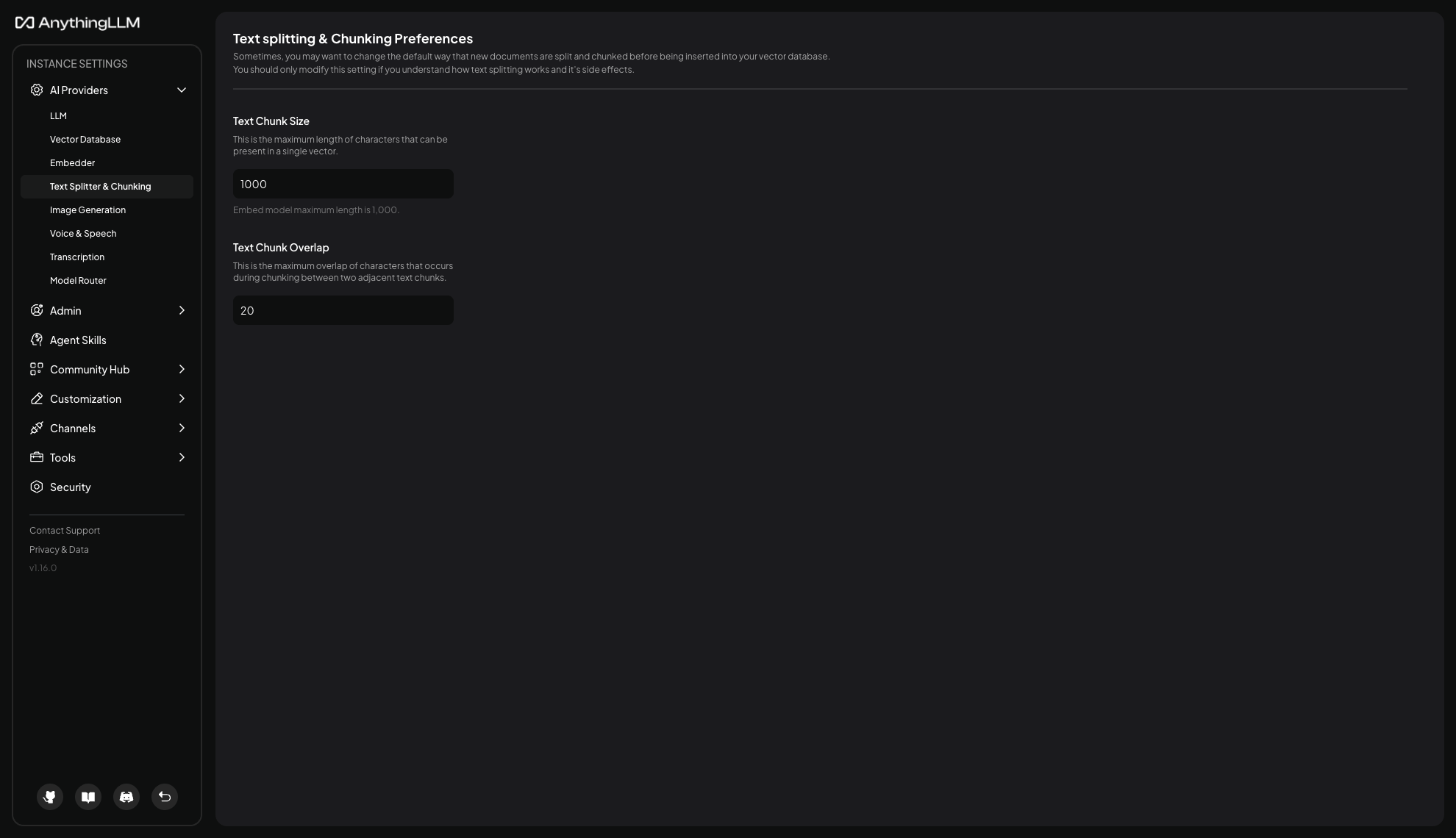
Changing these settings only affects documents embedded after the change. Existing documents keep the chunks they were created with. To apply new settings to a document already in a workspace, remove it and embed it again.
The current strategy
AnythingLLM uses LangChain's RecursiveCharacterTextSplitter (opens in a new tab). This is currently the only splitting strategy, and it is used for every document type.
Rather than cutting blindly every N characters, it tries to split on the largest natural boundary that still fits your chunk size, working down this list in order:
- Paragraph breaks (
\n\n) - Line breaks (
\n) - Spaces (
- Individual characters
In practice that means a chunk is cut at a paragraph break when it can be, at a line break otherwise, and mid-word only as a last resort. Prose and structured documents usually split cleanly. Content with no whitespace at all, such as a long base64 string or minified code, falls through to the last rule and is cut at an arbitrary character.
Text Chunk Size
The maximum number of characters in a single chunk. The default is 1000.
This is measured in characters, not tokens. A useful rough conversion for English is about four characters per token, so a 1000 character chunk is roughly 250 tokens.
Your embedding model has its own hard limit, shown beneath the field as "Embed model maximum length is ...". If you set a chunk size above that limit, AnythingLLM uses the model's limit instead and logs a warning rather than failing the upload.
Larger chunks keep more context together, which helps when an answer depends on a full paragraph or section. They also make each search result coarser, so more irrelevant text comes along with the part you wanted, and fewer results fit in the LLM's context window.
Smaller chunks make matches more precise and let you retrieve more of them, but a chunk can end up too small to be meaningful on its own - a sentence that only makes sense given the paragraph around it is not much use in isolation.
Text Chunk Overlap
How many characters each chunk repeats from the end of the previous one. The default is 20.
Overlap exists so meaning is not lost at a cut. If a sentence is split across two chunks, some overlap means each chunk still carries part of the surrounding context rather than starting mid-thought.
The overlap must be smaller than the chunk size - AnythingLLM rejects a value equal to or larger than it. Note that overlap duplicates text, so a high overlap relative to chunk size produces noticeably more vectors from the same document.
Choosing values
There is no universally correct setting, because the right answer depends on your documents and what you ask about them. The defaults are a reasonable starting point for most content.
If you do change them, a few things worth knowing:
- Change one at a time. Adjusting both at once makes it hard to attribute a difference in answer quality to either.
- You have to re-embed to compare. Since existing chunks are unchanged, testing a new setting means removing and re-adding the documents.
- Match the shape of your content. Dense reference material with short self-contained entries tolerates smaller chunks well. Narrative documents where meaning builds across paragraphs generally do better with larger ones.
- Watch the embedder limit. There is no benefit to setting a chunk size above your embedding model's maximum, since it will be capped anyway.