Getting Your Pro Key
Setting up AnythingLLM Pro takes less than a minute. Purchase a license key, paste it into the app, and you're done — all Magic features become unlimited immediately.
Step 1: Purchase a Pro License
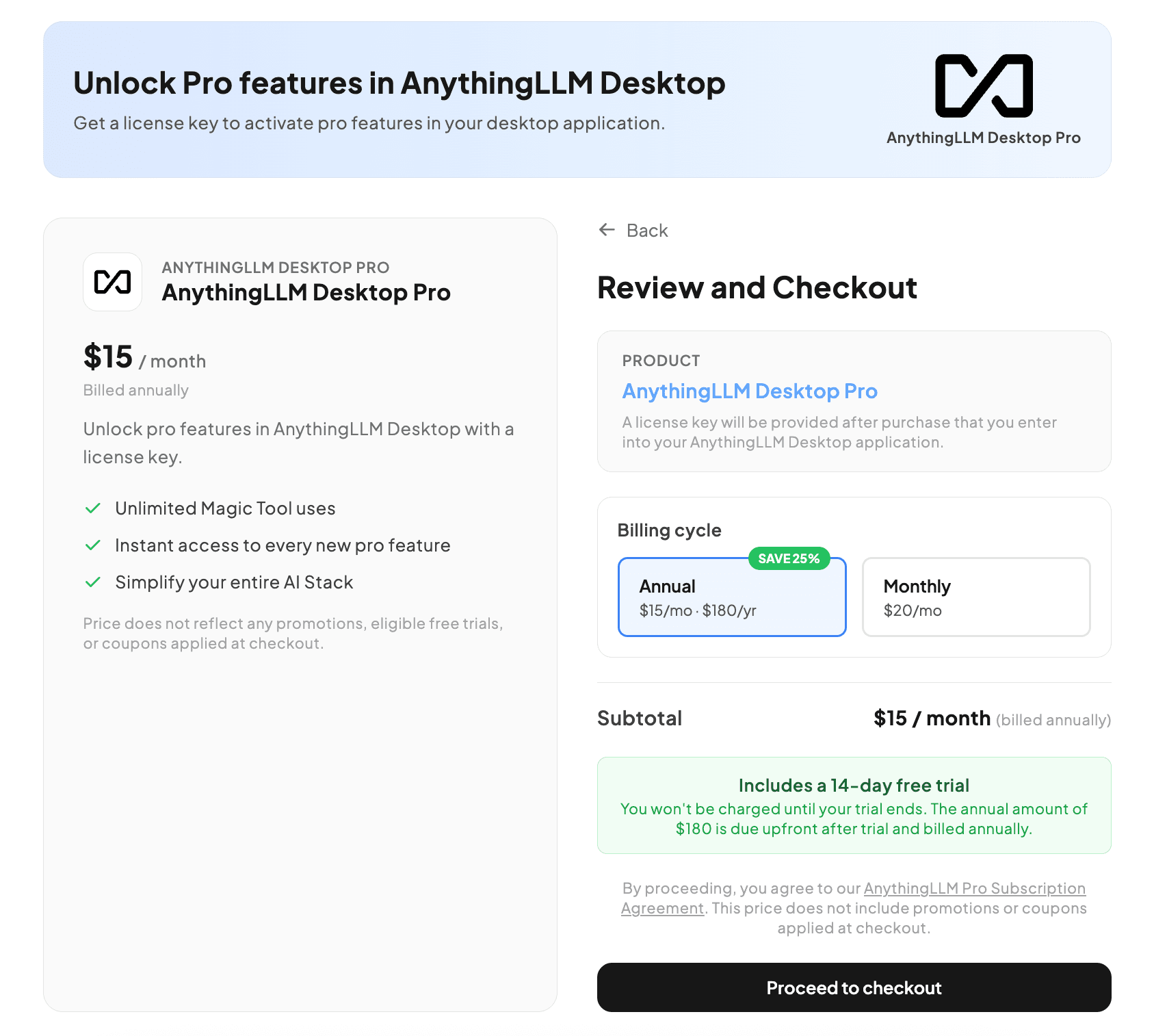
Visit the AnythingLLM Pro checkout page (opens in a new tab) to purchase your license. You'll receive a license key immediately after checkout.
Step 2: Open Pro Settings in AnythingLLM
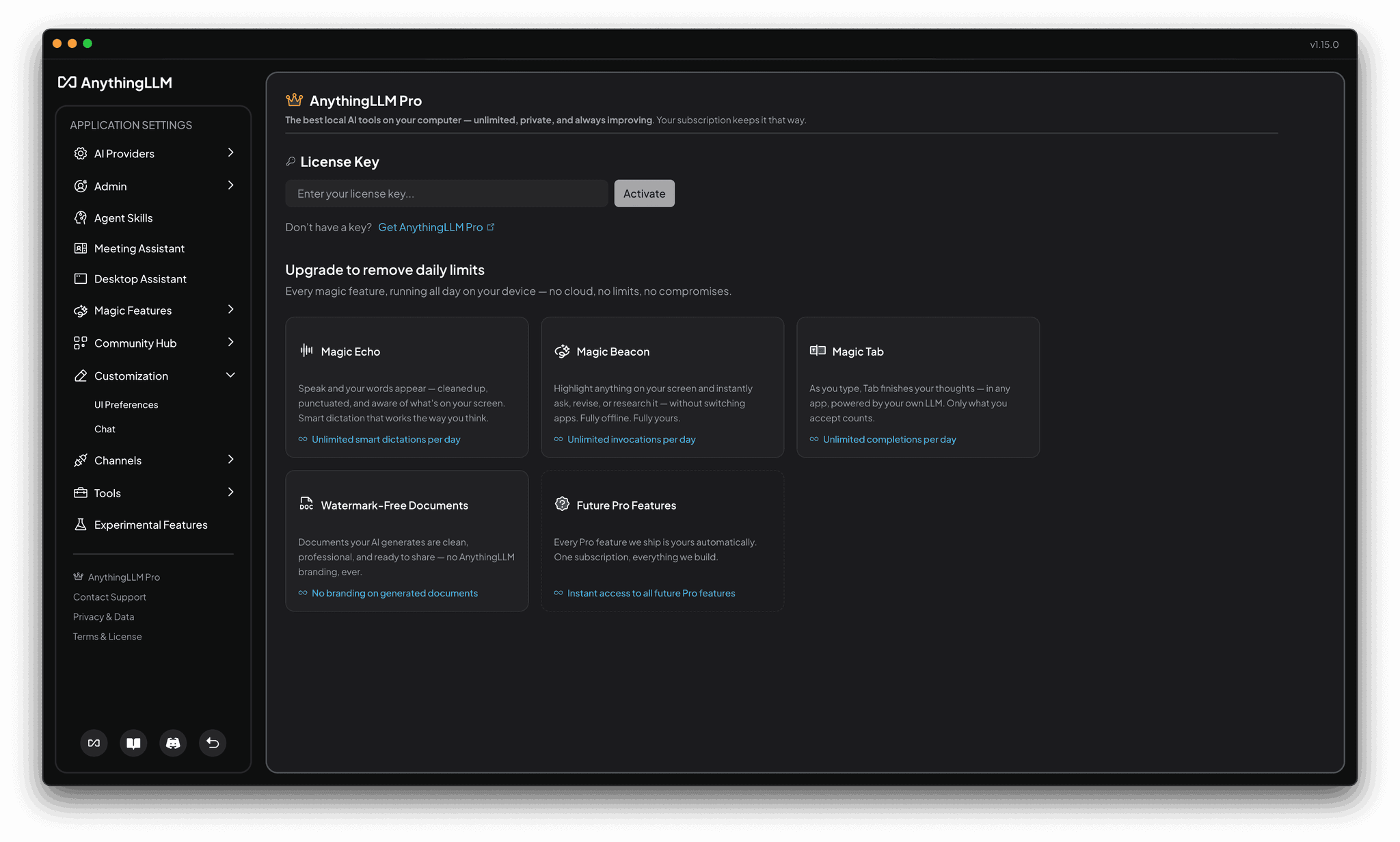
In AnythingLLM Desktop, navigate to Settings → AnythingLLM Pro in the sidebar. This opens the Pro subscription management page.
Step 3: Activate Your License Key
Paste your license key into the License Key input field and click Activate. AnythingLLM will validate your key — once confirmed, you'll see a green "Pro License Active" badge.
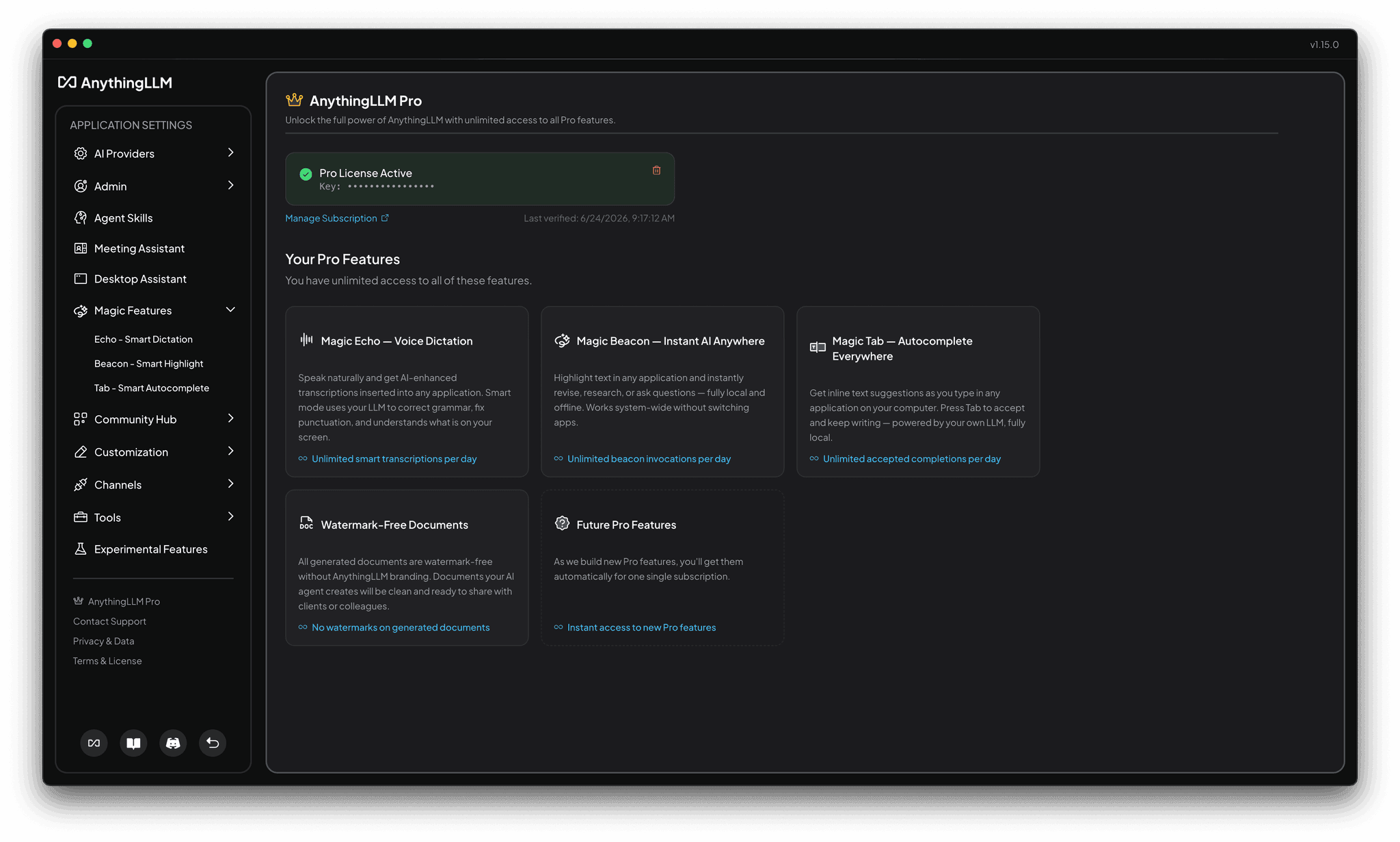
You can also just click the "Open in AnythingLLM" button on the subscription management page to automatically open AnythingLLM and activate your license.
What happens after activation?
Once your Pro license is active:
- All daily limits are removed — Magic Echo, Magic Beacon, and Magic Tab become unlimited.
- Watermark-free documents — Any documents generated by AI will no longer include AnythingLLM branding.
- Future features included — Any new Pro features we ship are automatically available to you.
Your license is validated periodically to ensure it remains active. If your subscription lapses, features will revert to their free-tier daily limits — you never lose access to the features themselves.
Don't have a license key yet?
If you're not sure whether Pro is right for you, you can try every Magic feature for free first. Each feature includes a daily free-usage allowance so you can experience the full capability before purchasing.
When you're ready, visit the AnythingLLM Pro checkout page (opens in a new tab) to get your key.