Managing Your Subscription
All AnythingLLM Pro subscriptions are managed through your Mintplex Labs account dashboard. From there you can update payment methods, view billing history, or cancel your plan.
Viewing Your License Status
In AnythingLLM Desktop, go to Settings → AnythingLLM Pro. If your license is active, you'll see:
- A green Pro License Active badge
- A masked display of your current key
- A Last verified timestamp showing when your license was last validated
- A link to Manage Subscription
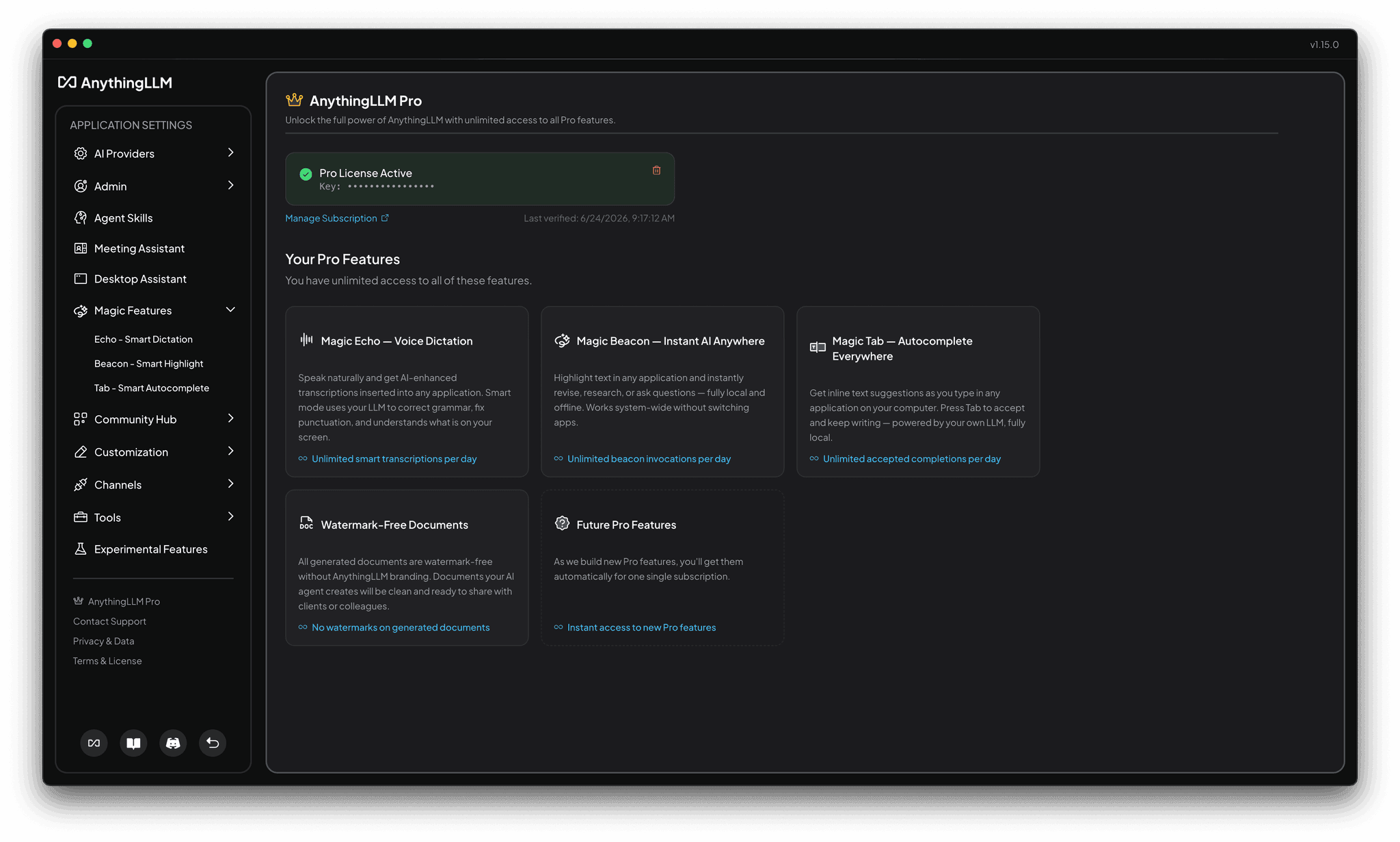
Managing Your Subscription Online
Click Manage Subscription from the Pro settings page, or visit my.mintplexlabs.com/dashboard (opens in a new tab) directly. From your dashboard you can:
- Update your payment method
- View billing history and invoices
- Change your plan
- Cancel your subscription
Removing Your License Key
If you need to remove your license key from a device (for example, when switching to a new computer), click the trash icon next to your active license in Settings → AnythingLLM Pro.
Removing your license key will immediately revert all Pro features to their free-tier daily limits on that device. You can re-enter the key at any time to restore Pro access.
What happens if my subscription expires?
If your subscription lapses or is cancelled:
- Your license key will fail validation on the next periodic check.
- All Magic features revert to their free-tier daily limits — you do not lose access to the features, only unlimited usage.
- You can re-subscribe at any time and use the same or a new license key to restore Pro.
Invalid or Expired License Keys
If your key is shown as invalid or expired in the Pro settings page:
- Check your subscription status at my.mintplexlabs.com/dashboard (opens in a new tab) to confirm your plan is active.
- Re-enter your key — click "Remove license key" and paste it again to force a fresh validation.
- Contact support if the issue persists — reach out to [email protected].
Frequently Asked Questions
Can I use my license key on multiple devices?
Yes — we don't enforce device limits. Use your license key on as many devices as you want. Just keep it secret and don't share it with others.
We don't track or log your usage, but we may reach out if we suspect abuse.
Is my data sent anywhere when using Pro?
No. Pro simply unlocks unlimited usage of features that already run entirely on your device. Your data never leaves your machine — Pro does not change the privacy model of AnythingLLM in any way.
Do Pro features use my own LLM?
Yes, they use whatever LLM you have configured in the AnythingLLM settings.
Do Pro features work offline?
Yes, but keep in mind that the license key must be validated periodically to ensure it is still active. If you are offline for more than a continuous 48 hours, your license key will be considered invalid and you will need to re-enter it or reconnect to the internet to restore Pro features.
The license key server is license.anythingllm.com if you need to permit it in your firewall.
If you need an entire airgapped experience with a license for IT or compliance reasons - you can contact us at [email protected] to get a lifetime license key.
What is the refund policy?
We do not offer refunds for any reason. If you are not satisfied with the product, you can cancel your subscription at any time.
You can review the subscription terms and conditions at my.mintplexlabs.com/anythingllm-pro-terms (opens in a new tab).